Buy • Share • Save

Buy in bulk.
Share the savings.

SplitList makes it easy to buy bulk items, share the purchase with people you know, and pay only for the portion you actually want.

Perfect for warehouse shoppers, families, friends, neighbors and groups.
People shopping in a warehouse club
You don't need the whole case.
Bulk purchase$24
4 people$6
Each gets6
How it works

Turn one big purchase into a shared win.

Connect people who want the same bulk deal—so everyone gets what they need without buying more than they can use.

1

Find a bulk deal

See something at a warehouse club or another store that is simply too much for one person?

2

Create a split

Post the purchase, price, quantity, pickup details and how many portions are available.

3

Share it

Invite friends, family, neighbors or a group by email or SMS.

4

Save together

People claim the amount they want and share the bulk purchase.

Family shopping in a warehouse club
The bulk-buying problem

Bulk prices are great. Bulk quantities aren't always.

Warehouse stores are built around bigger packages and lower unit prices. But sometimes you only need part of what is in the box.

SplitList gives shoppers a way to organize that purchase with other people. Buy the larger package, then share the quantity and the cost.

Food & drinksHousehold goodsPaper productsPet suppliesFamily-size packs
Built for sharing

Everything you need to make a split work.

Shared purchasing plus the social tools needed to keep everyone coordinated.

↔

Create Splits

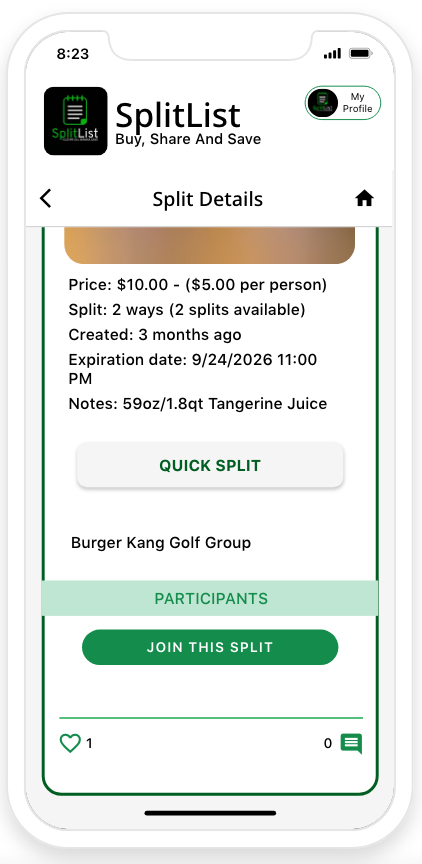
Post a bulk purchase with price, quantity, notes, location and expiration details.

👥

Groups

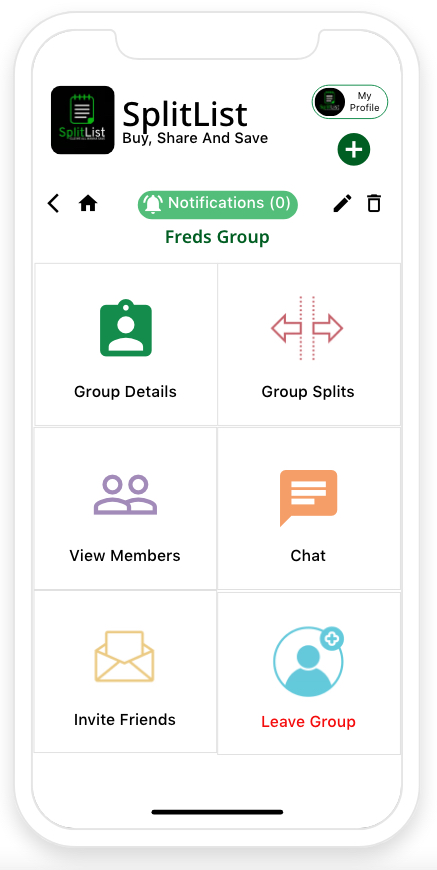
Create private groups for friends, family, neighbors, coworkers and communities.

📍

Near Me

Discover available splits based on location and pickup details.

💬

Comments & Chat

Talk with participants and keep split details in one place.

✉

Invite by Email or SMS

Bring people into groups and shared purchases with simple invitations.

♡

Likes & Following

Follow activity and interact with interesting splits.

🔔

Notifications

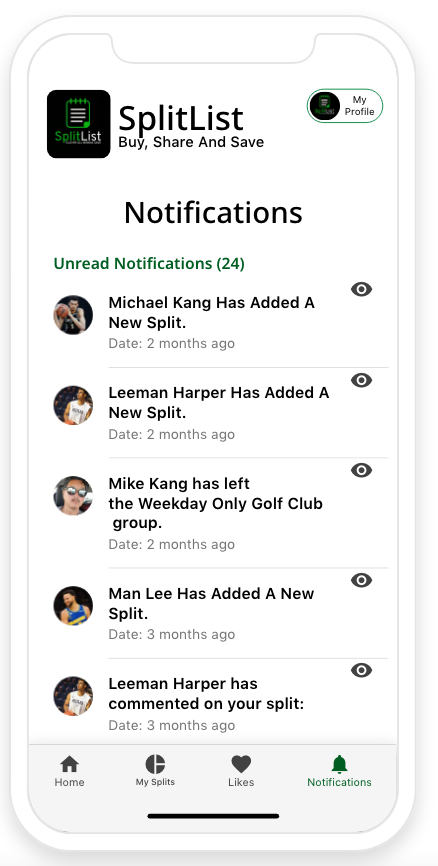
Stay updated when people join, comment, create or leave groups.

★

Ratings

Use social feedback to understand the community around a split.

⏱

Expiration Dates

Give every opportunity a clear window so people know when it ends.

Groups

Your people. Your groups. Your savings.

Create a space for the people you already shop, live, work or spend time with.

👨‍👩‍👧

Families

Share household and grocery purchases.

🏘️

Neighbors

Pool purchases within your community.

🏢

Coworkers

Split snacks, supplies and shared purchases.

👋

Friends

Buy together and divide the quantity.

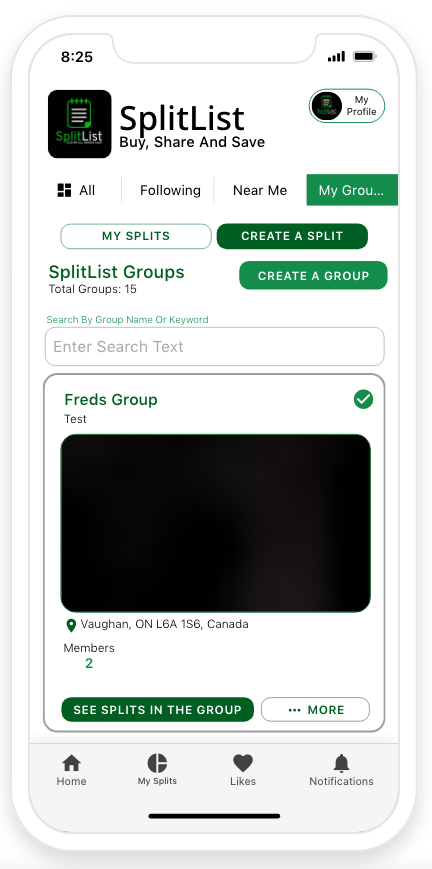
SplitList groups screen
The SplitList app

Simple enough to use while you're shopping.

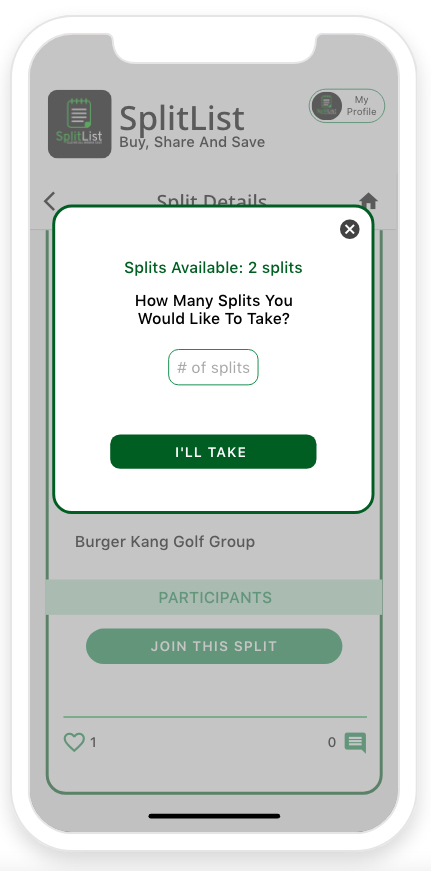
The experience is built around a few simple ideas: discover, create, share, join and keep track.

✓
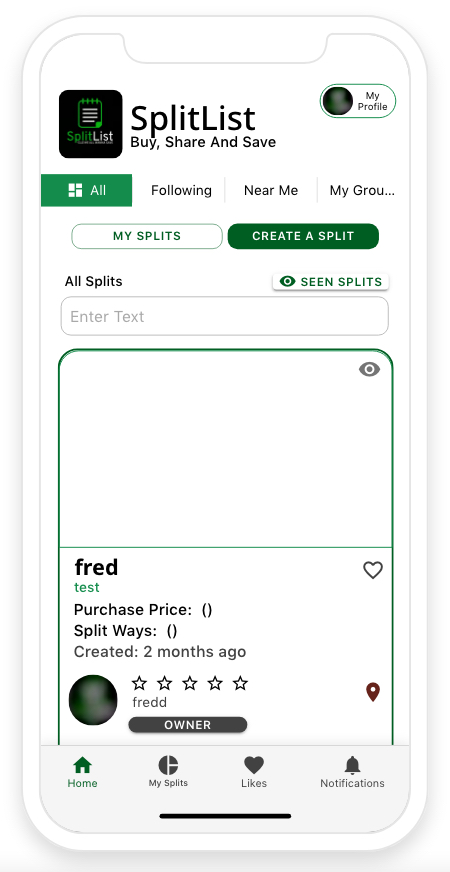
Browse available splits
See all, following, nearby and group activity.
✓
Create a split
Add the purchase details and decide how much is available.
✓
Manage your groups
Invite members, view splits and chat with your group.
✓
Keep everything organized
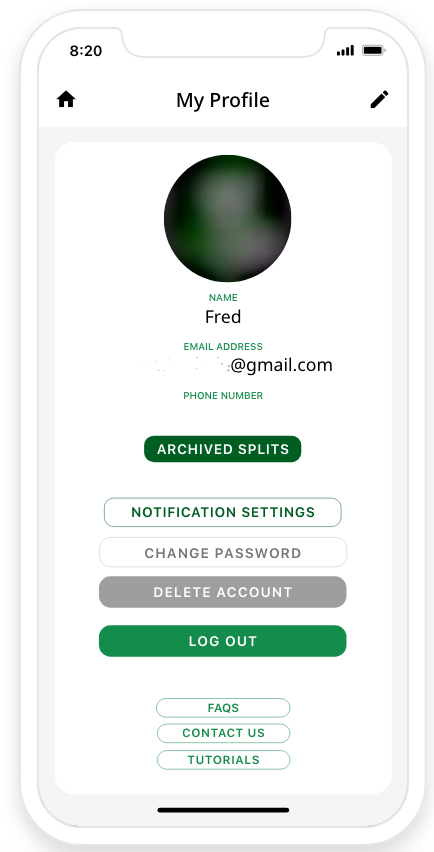
My Splits, Likes, Notifications and Profile keep activity easy to find.
See it in action

A few screens from SplitList.

Real SplitList app screens presented here to show the product experience.

Who is it for?

Made for people who already buy in bulk.

SplitList fits into the shopping habits people already have.

🛒

Warehouse shoppers

Buy the big package and share it instead of storing all of it yourself.

🏠

Families

Share household purchases across family members.

🌎

Communities

Organize shared purchases among neighbors and local groups.

🤝

Friends

Turn a large purchase into something everyone can use.

FAQ

Questions, answered.

What is SplitList?

SplitList is a platform for organizing shared purchases. Users can create a split for a bulk item, invite people and divide the available quantity.

Do I have to shop at Costco or Sam's Club?

No. Warehouse clubs are a natural use case, but a split can be created around other purchases too.

Who can I split purchases with?

Friends, family, neighbors, coworkers or members of a SplitList group.

Can I create a group?

Yes. Groups can have members, group splits, chat and invitation workflows.

How do invitations work?

The app includes invitation workflows for email and SMS.

Is SplitList affiliated with Costco or Sam's Club?

No. Those store names and the warehouse-shopping imagery are used only to describe the type of shopping SplitList can complement.

Stop buying more than you need.

Buy the bulk deal. Split it with your people. Save together.

GET STARTED